
AnotherTV
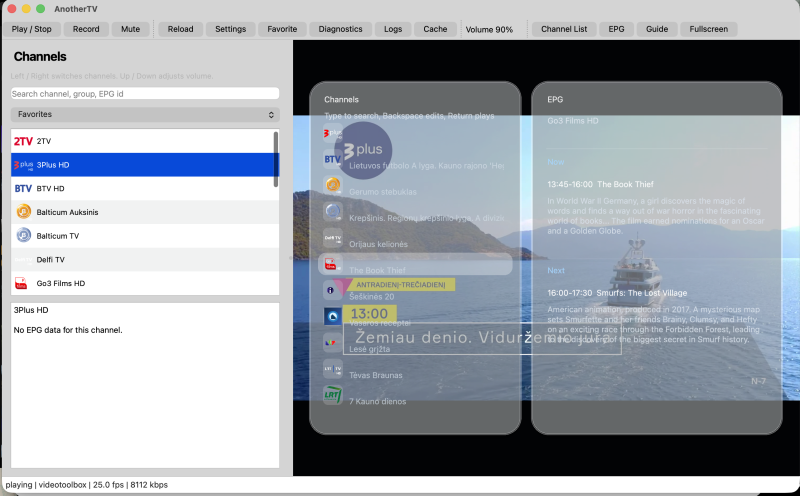
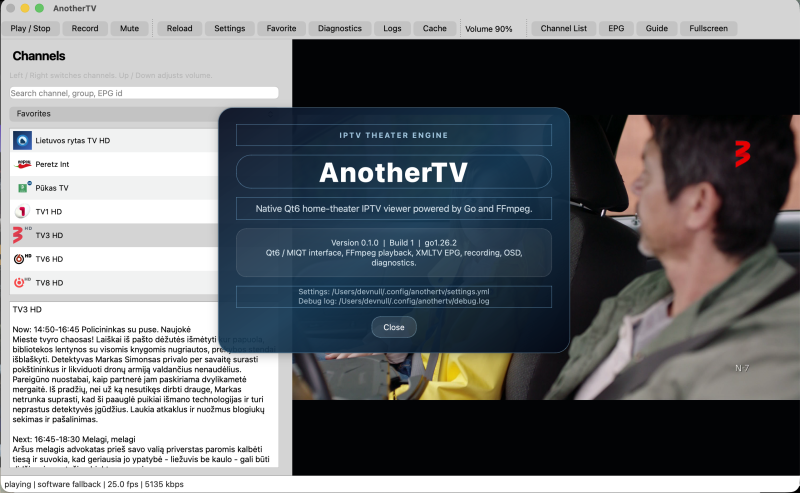
AnotherTV is a Qt6/MIQT based IPTV viewer written in Go. It loads M3U playlists with IPTV metadata, resolves XMLTV EPG data, and plays streams through FFmpeg with a custom video widget and Oto audio.
Current Features
- Multiple playlist configuration with automatic reload.
- Remote playlist caching under
~/.config/anothertv/playlist-cache, with startup refresh or manual-update modes. - Channel logo caching under
~/.config/anothertv/logo-cache, with icons in the sidebar and fullscreen OSD. - Extended M3U parsing:
tvg-id,tvg-name,tvg-logo,group-title,tvg-chno, playlist-levelx-tvg-url. - Playlist-level and per-channel HTTP user-agent support for protected streams.
- XMLTV EPG loading from local files or HTTP(S), including gzip-compressed feeds.
- Persistent favorites and recent channels.
- Qt6 home-theater style shell with channel list, search, group filter, EPG panel, full programme guide, reminders, liquid-glass OSD overlays, keyboard controls, and fullscreen mode.
- Diagnostics, debug-log viewer/export, and playlist/logo-cache manager dialogs.
- Recording to Matroska files through FFmpeg, with stream-copy mode and AAC audio encoding.
- FFmpeg playback with reconnect supervision, configurable network buffering, audio resampling, video frame conversion, and macOS VideoToolbox hardware accelerated decode attempt with software fallback.
- Debug logging to
~/.config/anothertv/debug.log, with app and FFmpeg verbosity toggles in Settings.
Controls
For double-click video: enter/exit fullscreen theater mode.C: show/hide the channel-list OSD with selected-channel EPG on the right.E: show/hide the standalone EPG OSD for the current channel.G: open the full programme guide timeline.H: open help window.- Type while the channel-list OSD is open: filter channels; Backspace edits; Delete clears.
S: toggle favorite for the selected channel.R: start/stop recording the selected channel.Cmd+,on macOS / standard Preferences shortcut: open Settings.D: open playback diagnostics.L: open the debug log viewer.Left/Right: switch previous/next channel.Up/Down: change volume when the channel-list OSD is hidden.Up/Downwith the channel-list OSD open: move selection.Return: play the selected OSD channel.- Mouse click an OSD channel row to play it.
Esc: close EPG/channel-list overlays first, then exit fullscreen.
On macOS, VideoToolbox decode uses Apple's media/video engine and the app currently copies decoded frames back to CPU memory for Qt painting, so Activity Monitor's GPU percentage may remain near zero. Use D / Playback Diagnostics and check Hardware active plus Hardware frames to confirm whether hardware decode is active. The diagnostics also show Hardware requested, Hardware details, and frame interlace flags so a VideoToolbox request that falls back to software is visible.
Project status
There are currently no public releases. The project is intended primarily for my own use, although it could be adapted for specific user groups, corporations, or individual users. It is not a consumer-grade product; therefore, it would be offered under an individual licensing model rather than as a mass-market application.